A service department that runs itself.
Book it, dispatch it, get it done, get paid — with every customer kept in the loop by text, every job mirrored into your CRM, and every invoice landing in QuickBooks on its own.
It starts on your website and comes back to your CRM
Your CRM (Customer Relationship Manager) owns the customer and the conversation. FieldOps owns the job, the tech and the invoice. Nobody re-types anything.
- Contact form
- Book-a-visit page
- A 24/7 web-chat employee that answers, captures every inquiry and books it
- The contact and the conversation
- A workflow hands the lead to FieldOps
- Every customer text goes out from your number
- Request → job on the board
- Tech app, GPS, photos, signature
- Invoice, payment, QuickBooks
- Tag on the contact: fo:booked … fo:paid
- A note for every step, with time and tech
- "FieldOps jobs" pipeline moves on its own
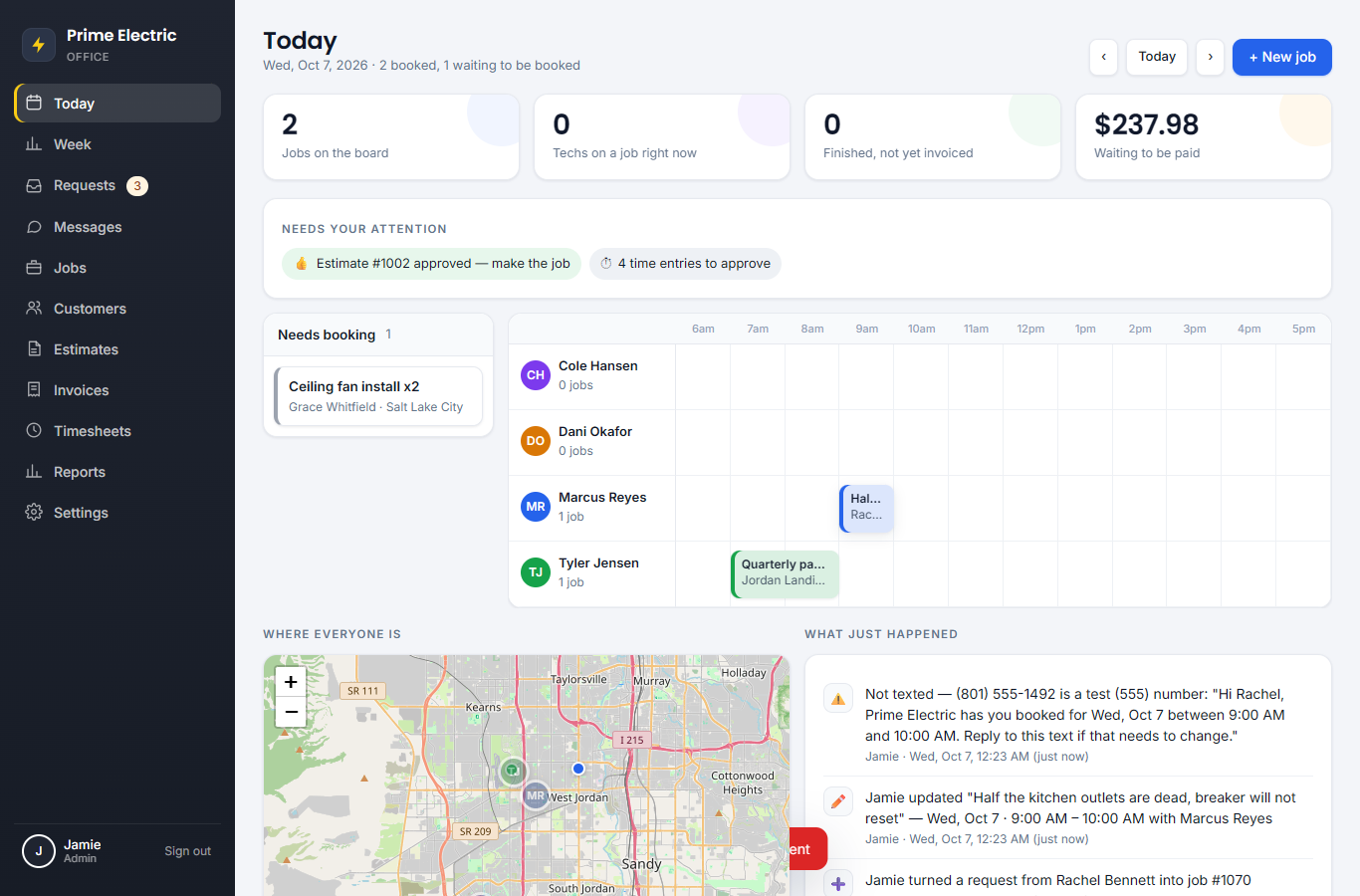
The day board: who is where, and when
Each tech is a row. Drag a job from "Needs booking" onto a tech and the customer gets a text. Double-booking is impossible.
- Calls, website forms, CRM leads and portal requests land in one list
- Week view shows booked hours per tech before you promise a date
- "Needs your attention" lists approved estimates, replies, time to approve
- Recurring jobs for maintenance contracts and quarterly checks
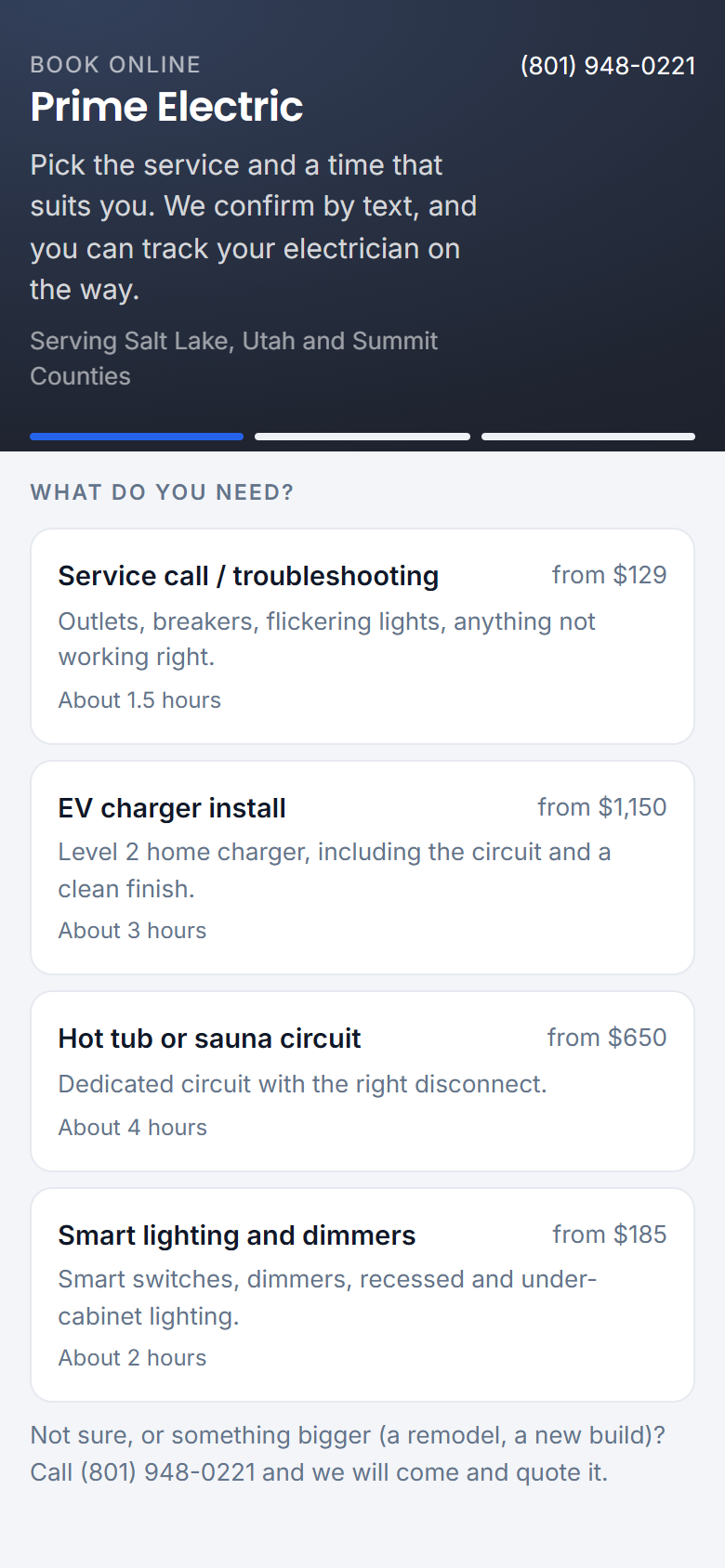
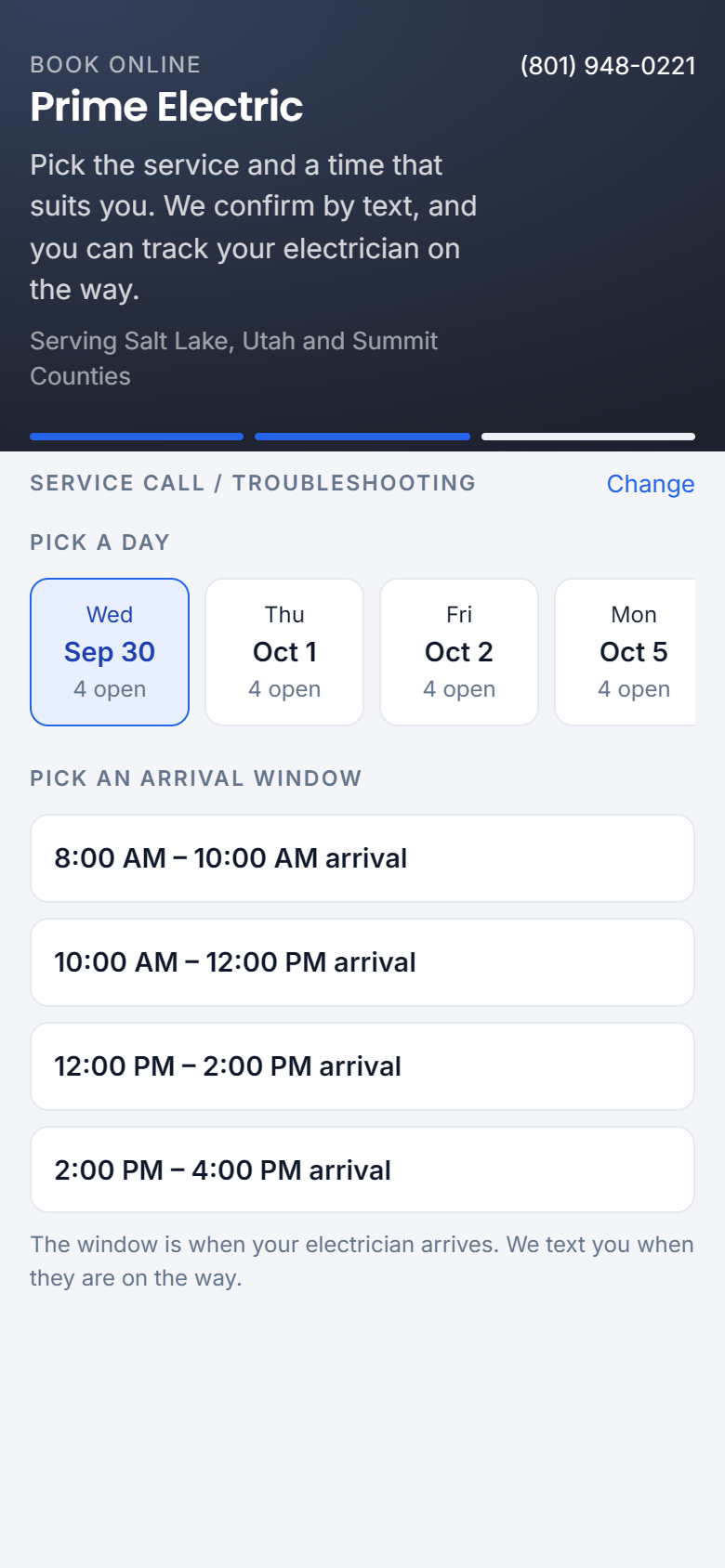
Customers can book themselves, too
A public link for your website and Google profile: service → day → 2-hour arrival window → details. Only windows where a suitable tech is actually free are offered.
- Re-checks the slot at the moment of booking and picks the least-busy tech
- Texts the customer, buzzes the tech's phone
- A reply of "C" or "Yes" marks the visit confirmed
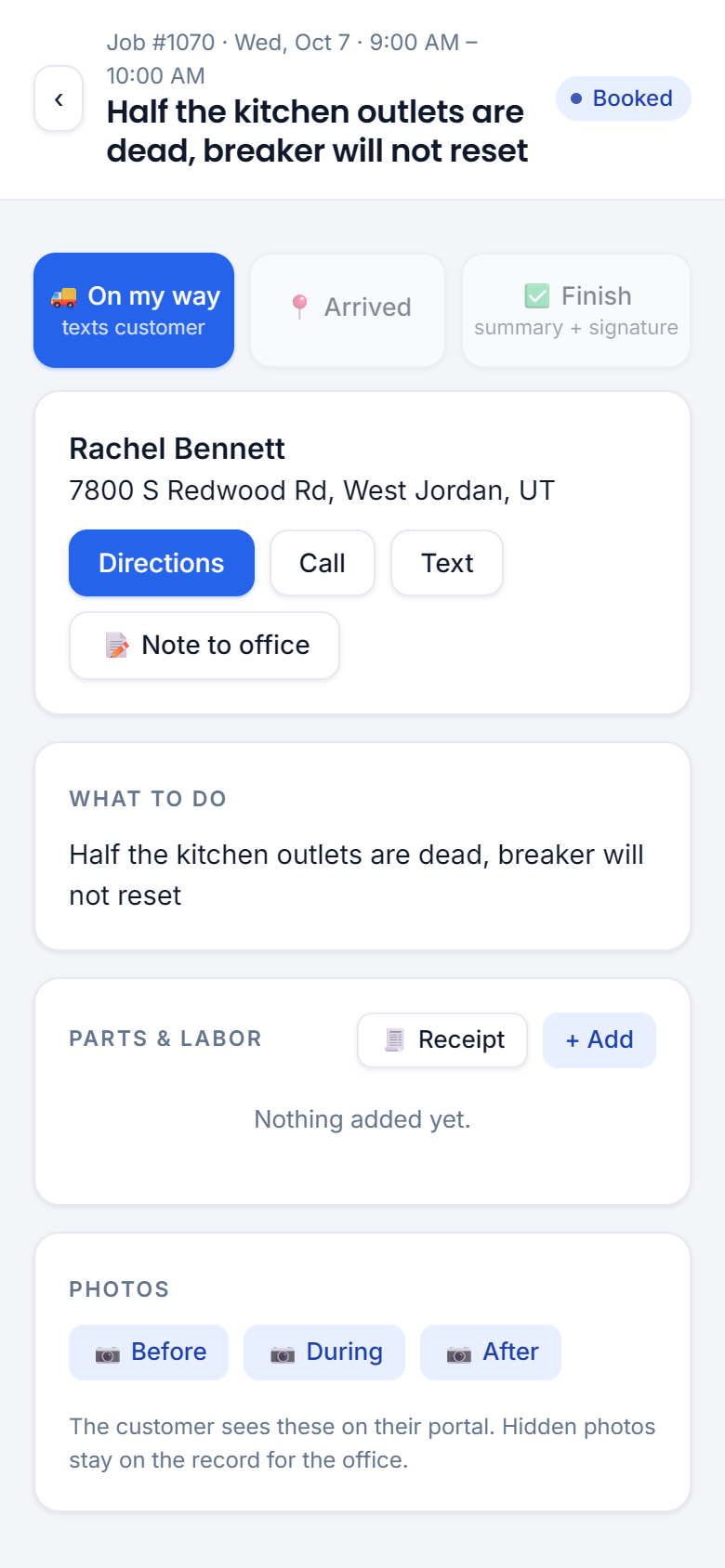
What, where and when — in their pocket
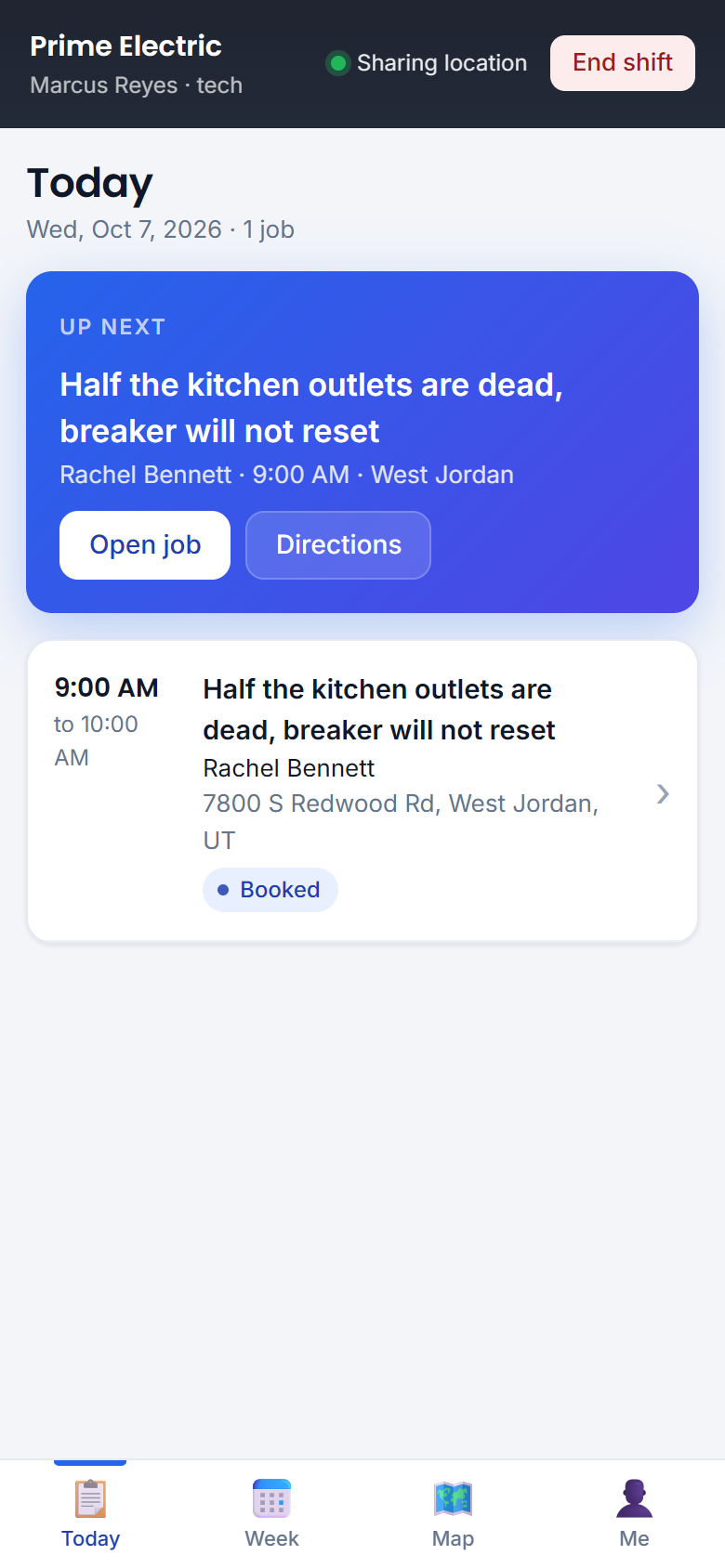
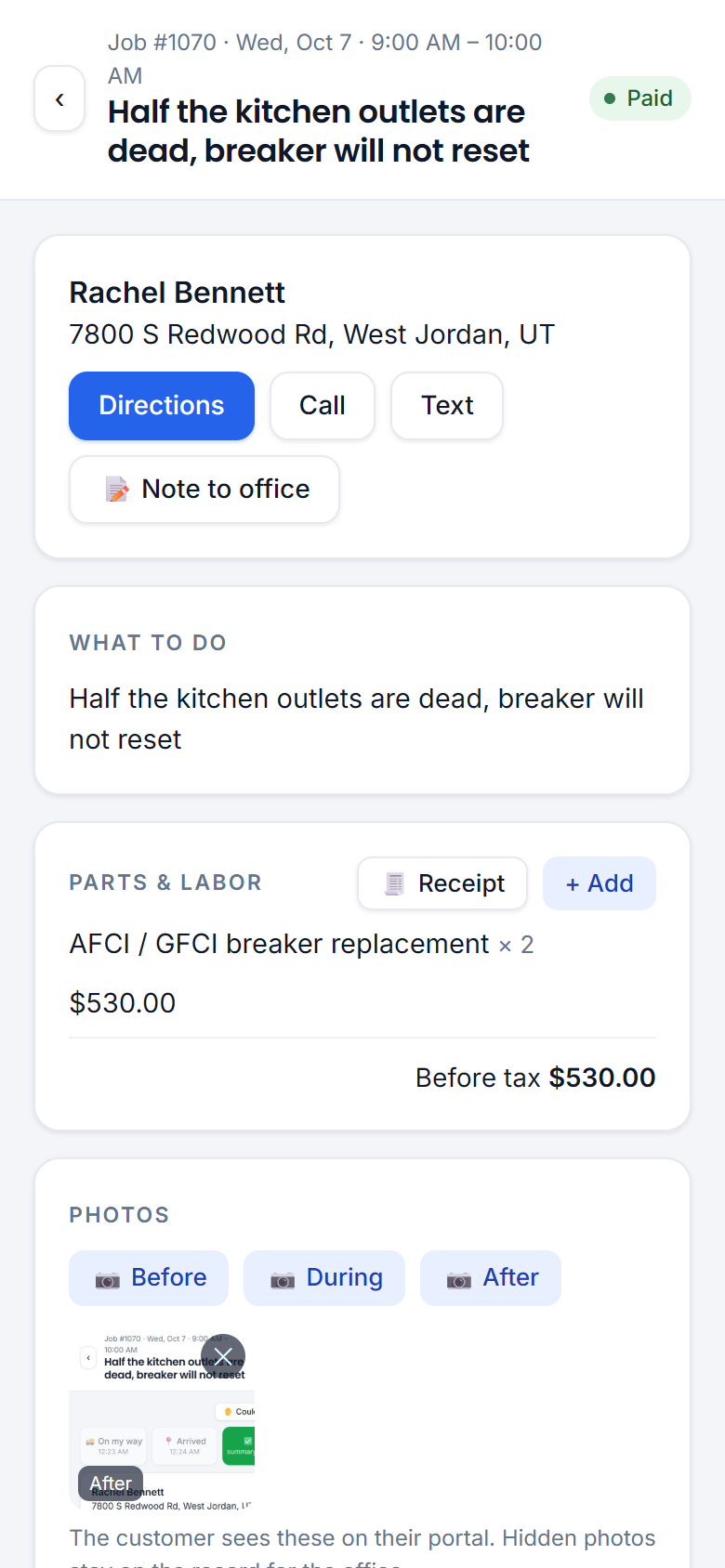
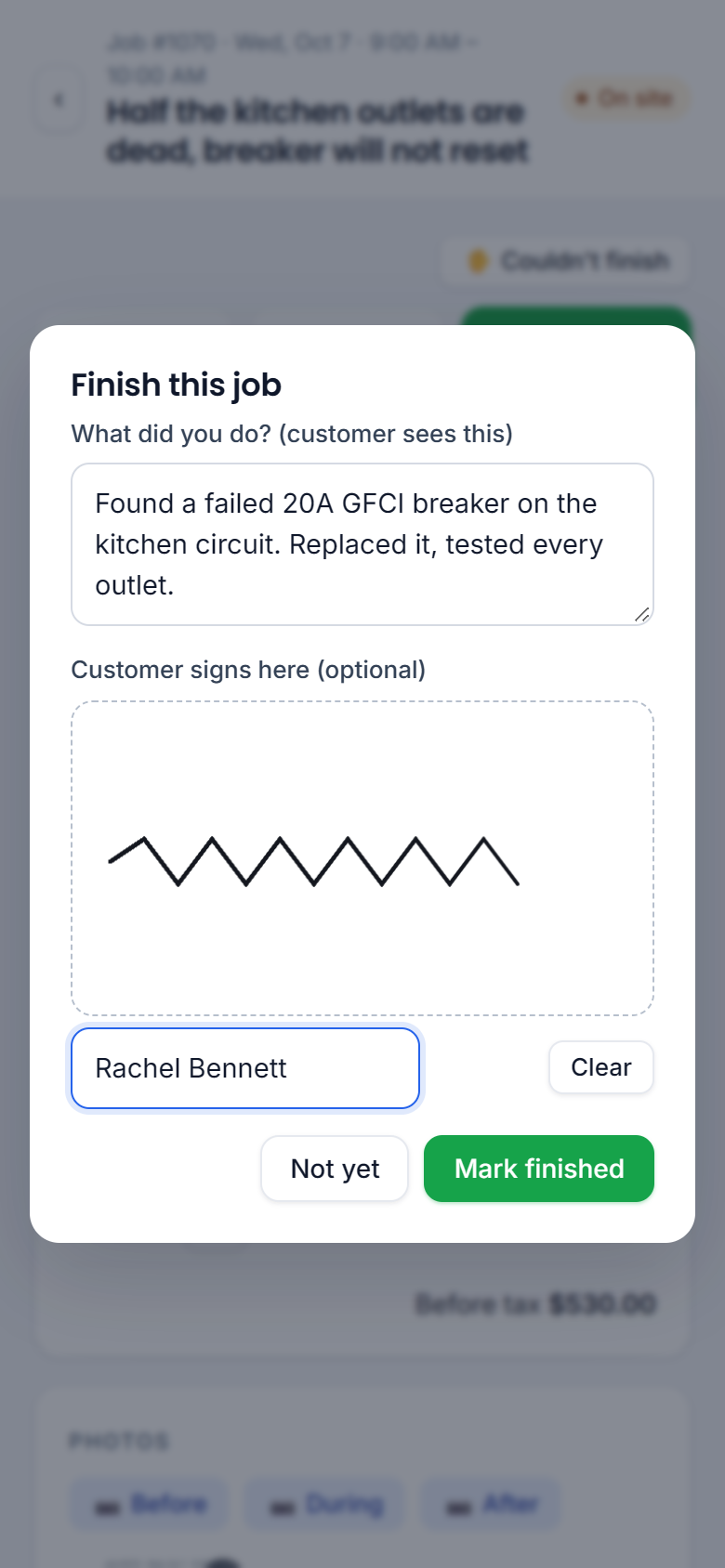
Three buttons run the day: On my way → Arrived → Finish. Directions, gate codes, parts from your price book, before/after photos, a signature on the screen.
- "On my way" texts the customer a live-map link; "Arrived" checks the tech is at the address
- Techs see prices, never your costs
- Time is tracked automatically — drive time, job time, breaks
- Installs from a link on iPhone or Android; a signed Android app is ready today
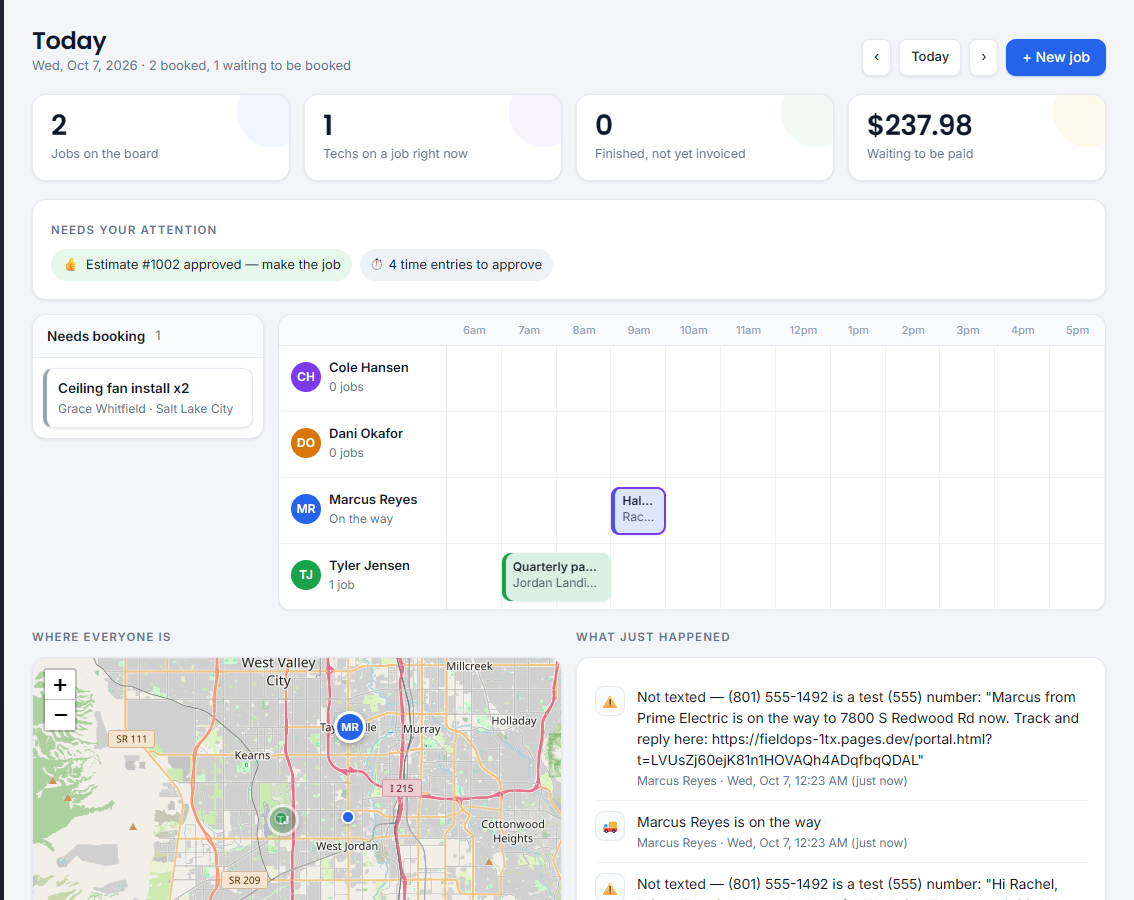
"On my way": the office and the customer both see it
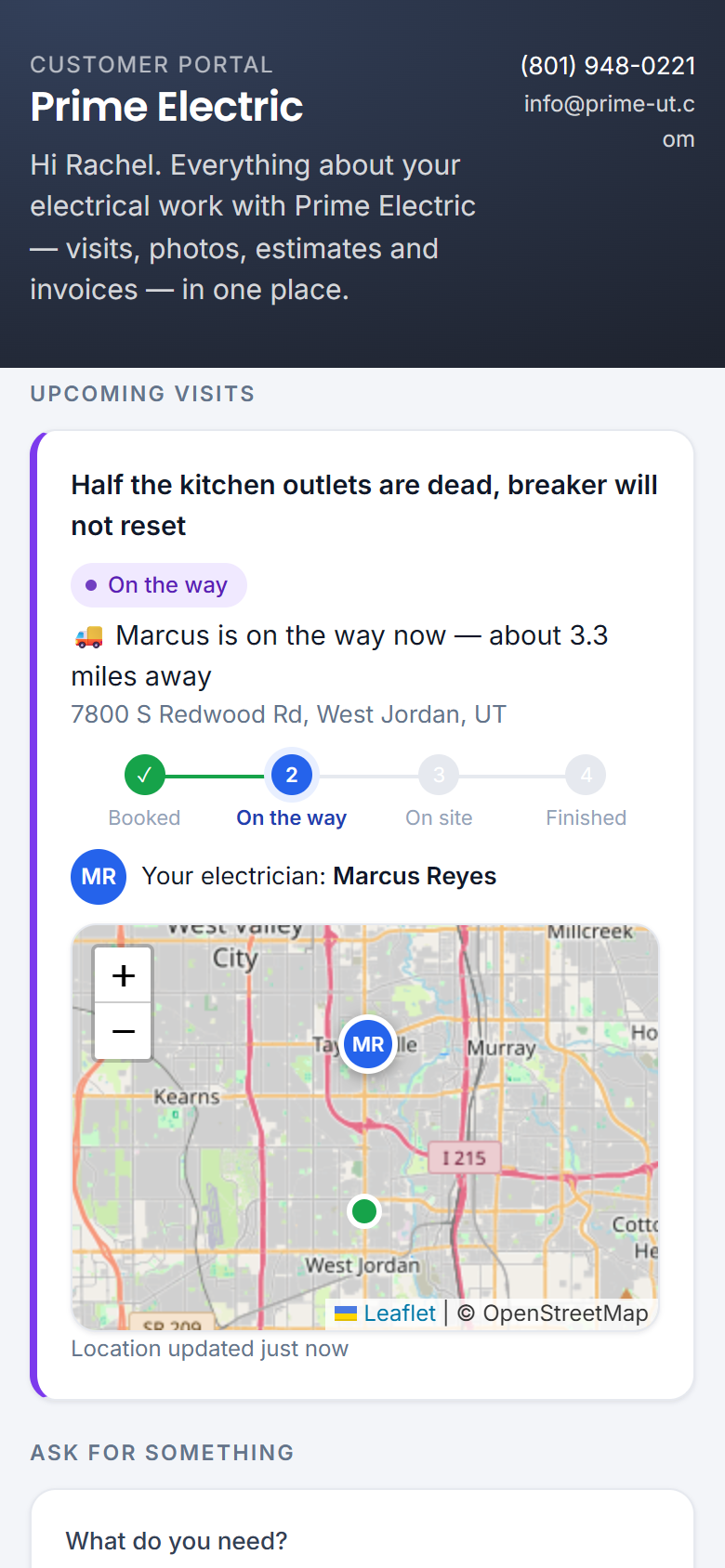
Live pins on the office map, how far each tech is from the next job, today's trail. The customer sees the same pin and "about 3 miles away" on their page.
- Live / last seen for every tech, with miles and minutes away
- Phone GPS while the app is open — stated honestly, no truck hardware needed
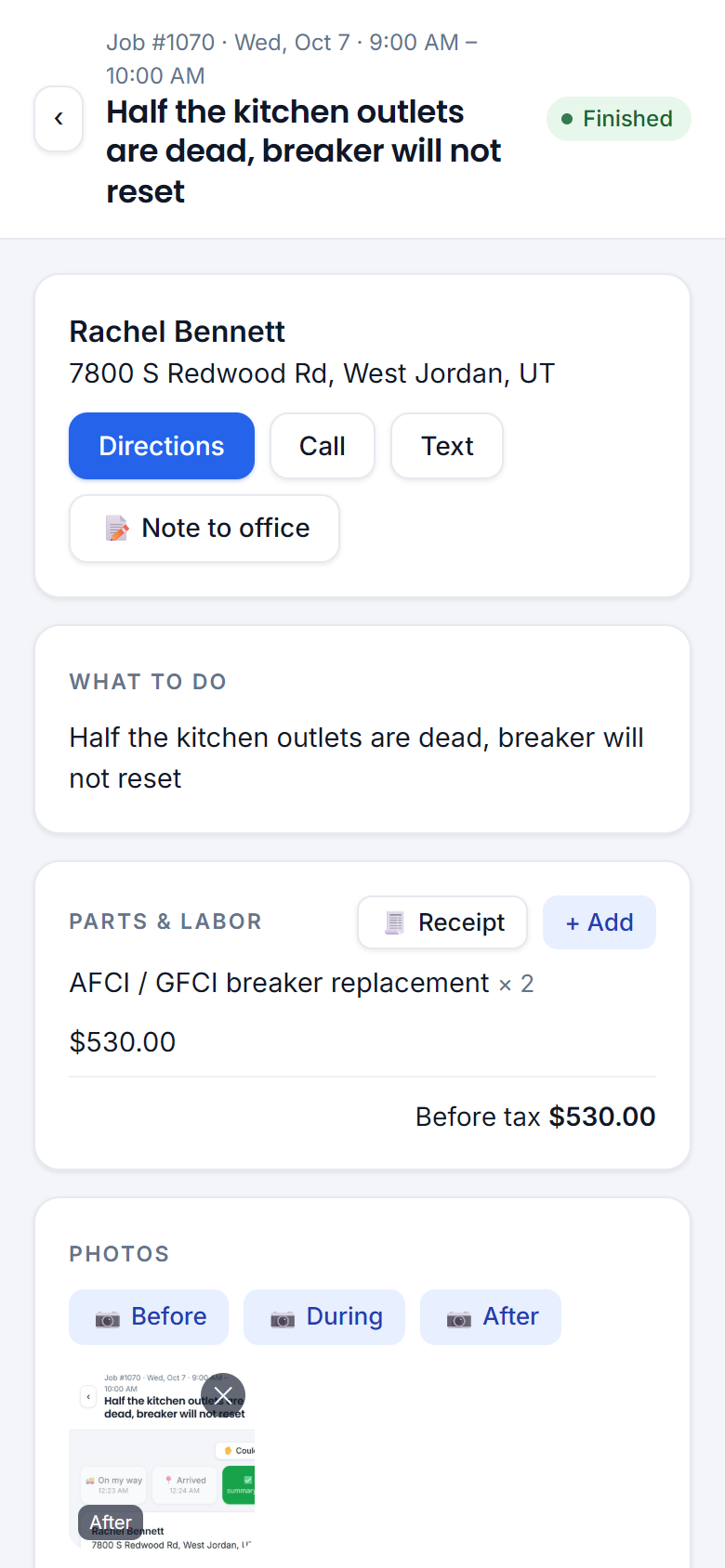
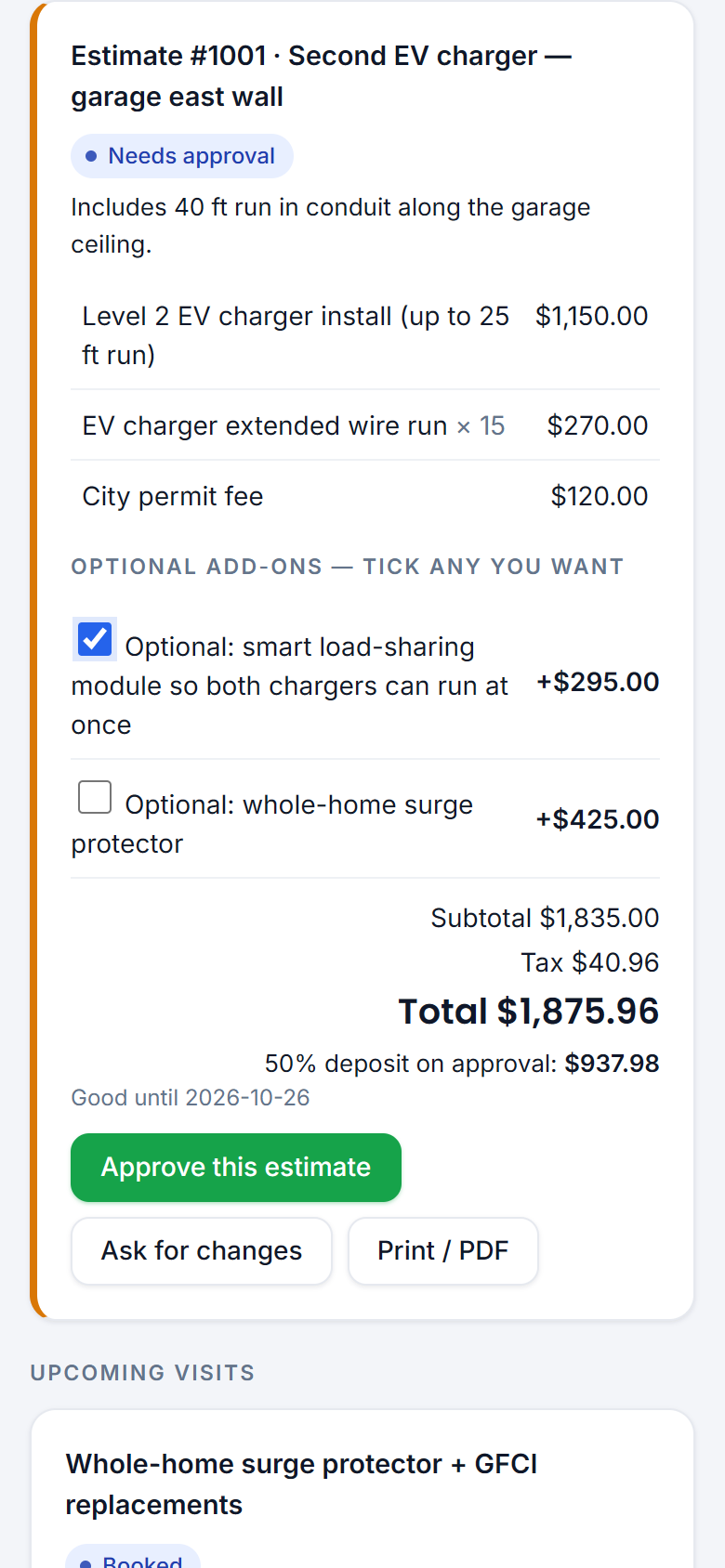
The invoice exists before the truck leaves the driveway
One tap makes the invoice from what was added on the job. Card on the phone, a QR code, a text-to-pay link, or cash and check with the number recorded.
- Estimates with optional add-ons the customer ticks themselves; deposits on approval
- Automatic reminders on the due date, +7 and +14 days
- PO numbers and tax-exempt builders handled
- Profit on every job: price − parts − clocked labor − expenses
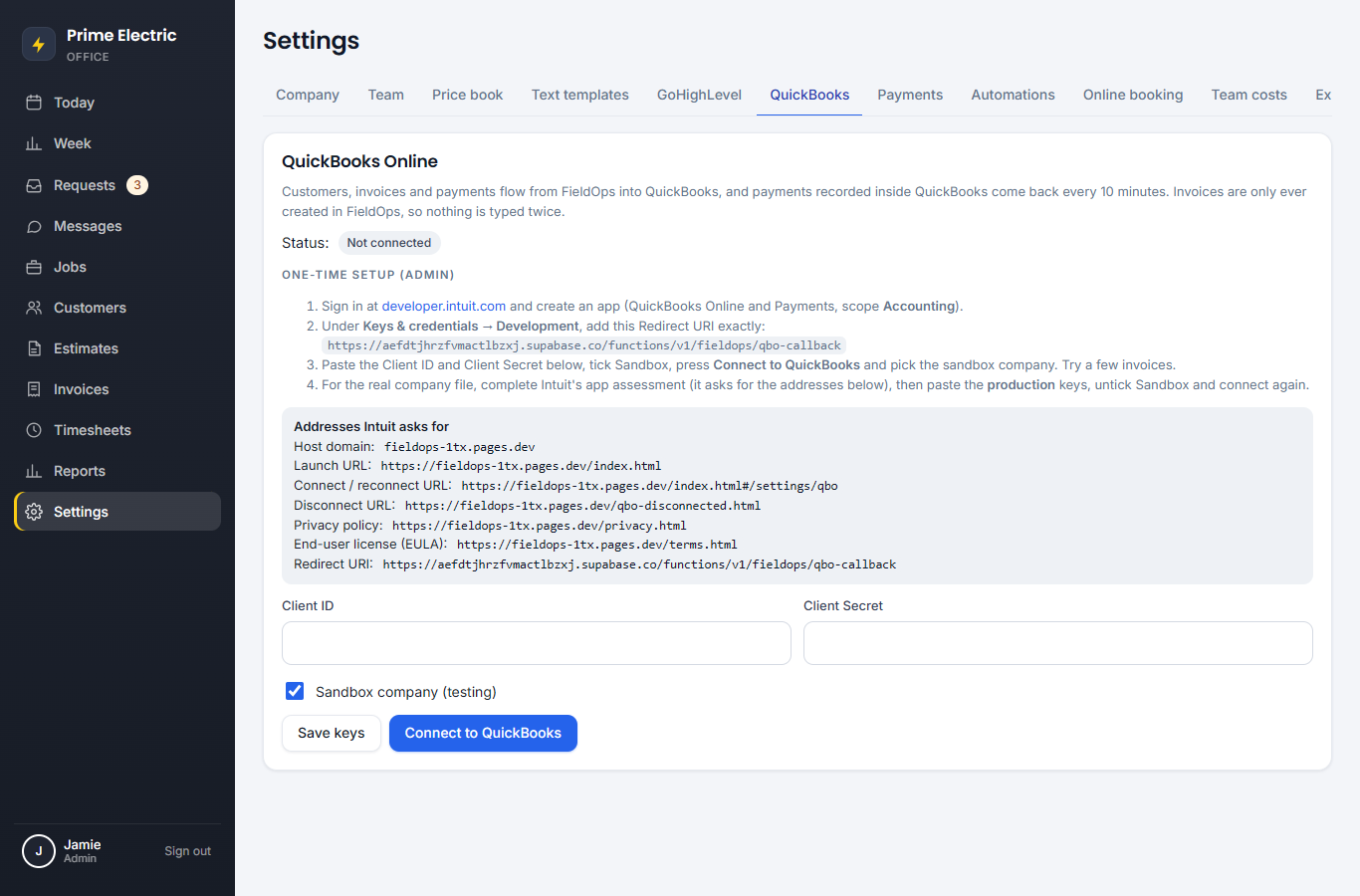
FieldOps creates the invoice. QuickBooks just receives it.
Customers, invoices, payments and voids flow into QuickBooks on their own. A check your bookkeeper deposits in QuickBooks shows as paid in FieldOps within 10 minutes.
- No duplicates on retry; same-name customers linked, not doubled
- Existing customers and products import with one click
- A tax total that differs is flagged before the customer pays
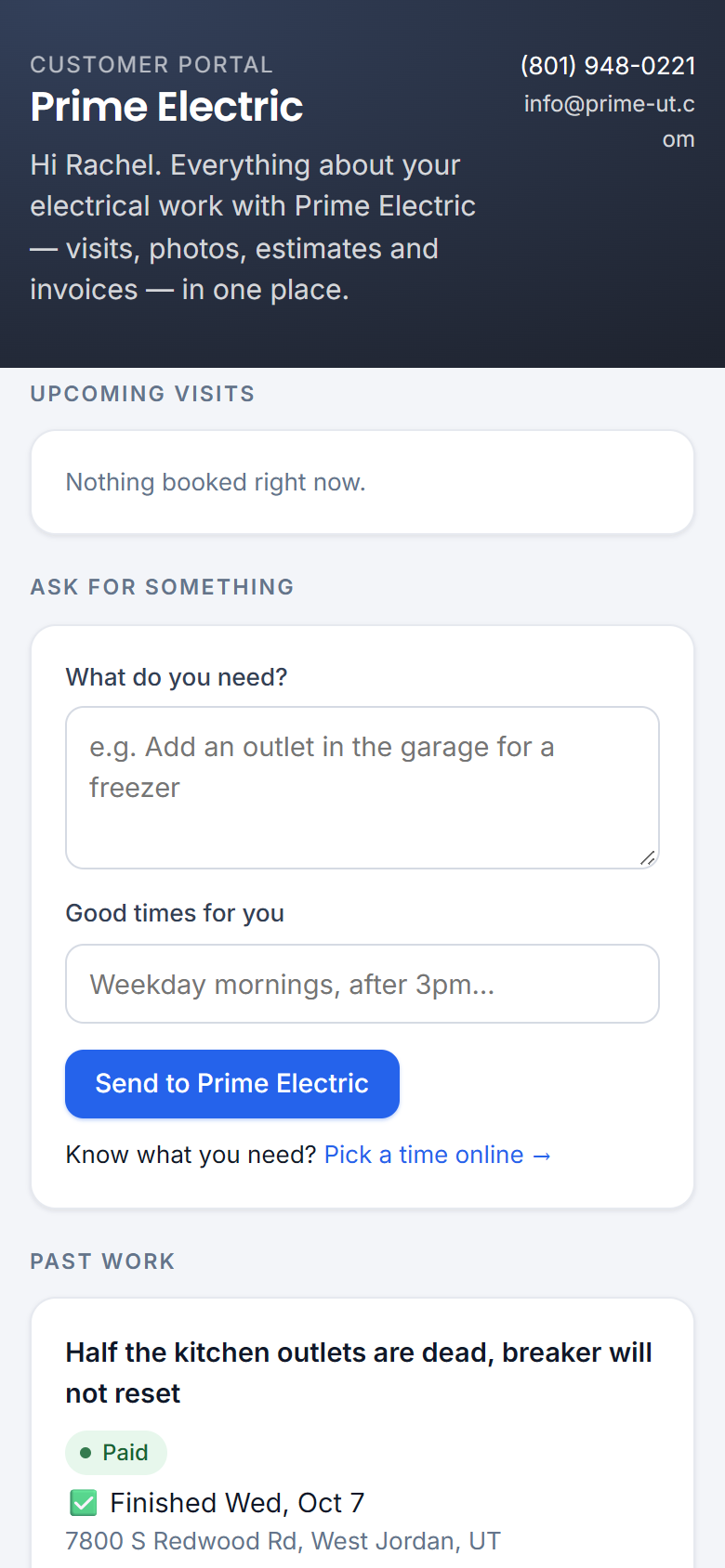
No app, no password. A private link that does the follow-up calls for you.
Every booking, estimate and invoice text carries the customer's own link: watch the electrician arrive, approve, pay, see photos of the finished work.
- Approve by typing a name; ask for changes; add the visit to their calendar
- Past work with photos — fewer "what did you do?" calls
- Printable invoices and receipts
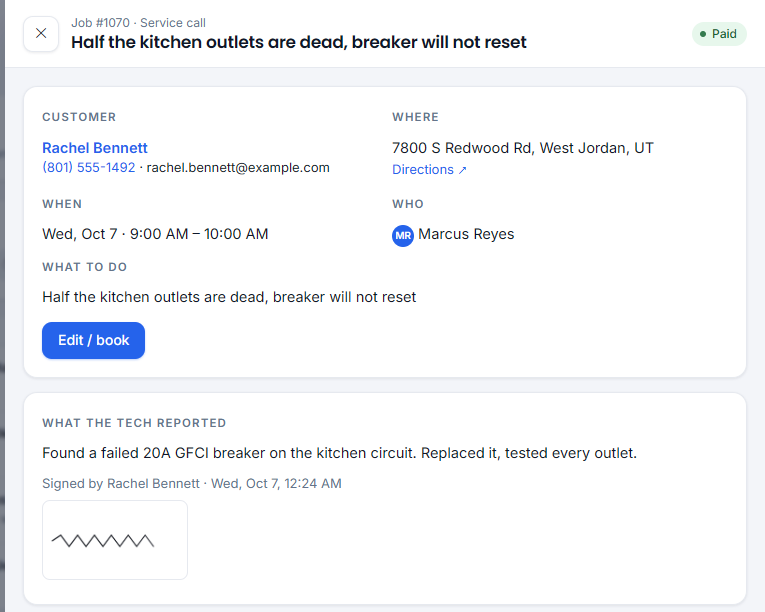
Every job step lands on the CRM contact
A tag (one at a time), a note with the job, time and tech, and an opportunity that moves through a "FieldOps jobs" pipeline — so the whole team can watch from one place and automations can fire.
- All texts go out from your CRM number — replies land where the team already works
- Quiet hours: never between 9pm and 7am
One link. Four doors. Each person sees only their job.
Share one page with everyone. Roles are enforced on the server — the doors just put each person where they belong.
Set it up
Team, prices, tax, opening hours, the wording of every text, the CRM, QuickBooks, payments. Reports and job profit.
Admin doorRun the day
Requests, the day board, the live map, estimates, invoices and customer texts.
Office doorYour day, in your pocket
Today's jobs, directions, parts, photos, signature, invoice and payment on site.
Tech appFollow your job
No sign-in, no app. A private link in every text: live map, estimates to approve, invoices to pay, photos.
Book a visitThe texts and the chasing happen on their own
Booking & reminders
Confirmation, day-before reminder, "on my way", "running late", finished, cancelled — all editable in plain English.
Estimates that don't go cold
Unanswered estimates get a nudge on day 3 and day 7. Approved ones become jobs waiting on the board.
Reviews after every paid job
A review request a couple of hours after payment — once per customer per six months.
Timesheets for payroll
Drive time and job time are clocked by the buttons techs already press. The office approves and downloads a CSV.
Your data stays yours
One-click CSV export of every list. Walk away any time with everything.
Built for electrical + builders
PO numbers, lots and subdivisions, tax-exempt builders, permits — not generic trades templates.
Let's run one real service call.
Open the demo on your phone, pick a door, and tap through a job. Then let's pick a pilot start date — two weeks, then you decide.